powered by cleverQ
Online appointment booking system
With cleverQ, you can make your services available online quickly and easily so that your customers can book appointments with you (around the clock if they wish).
Professional online appointment booking system at a reasonable price.
Functions & features
The cleverQ online appointment booking system offers you all the features you need to present your services online and make them bookable.
Are you interested in the cleverQ
online appointment booking system?
You have the choice
How easy it is for customers/citizens to book an appointment with you at
with cleverQ
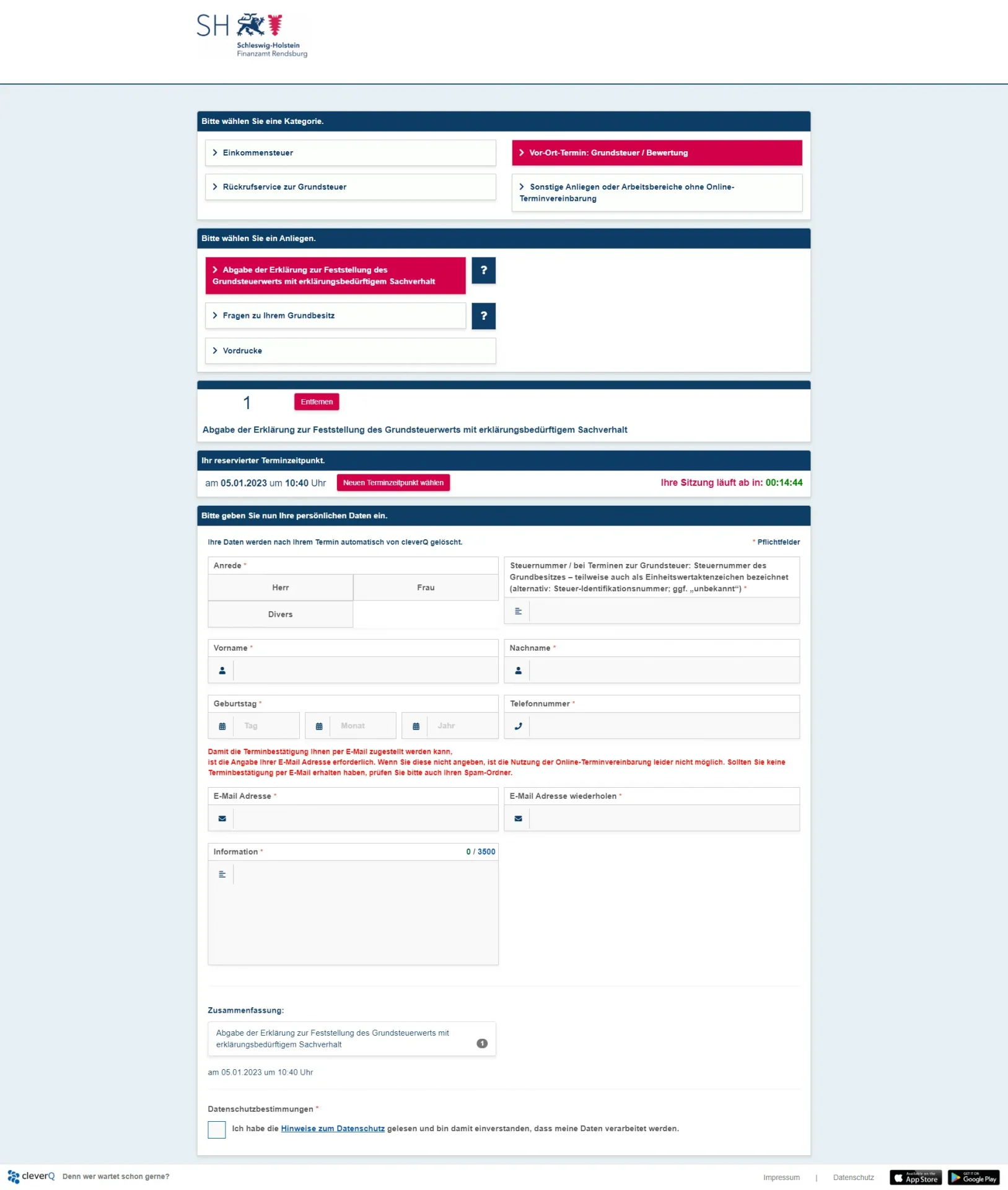
1. appointment booking via web appointment page
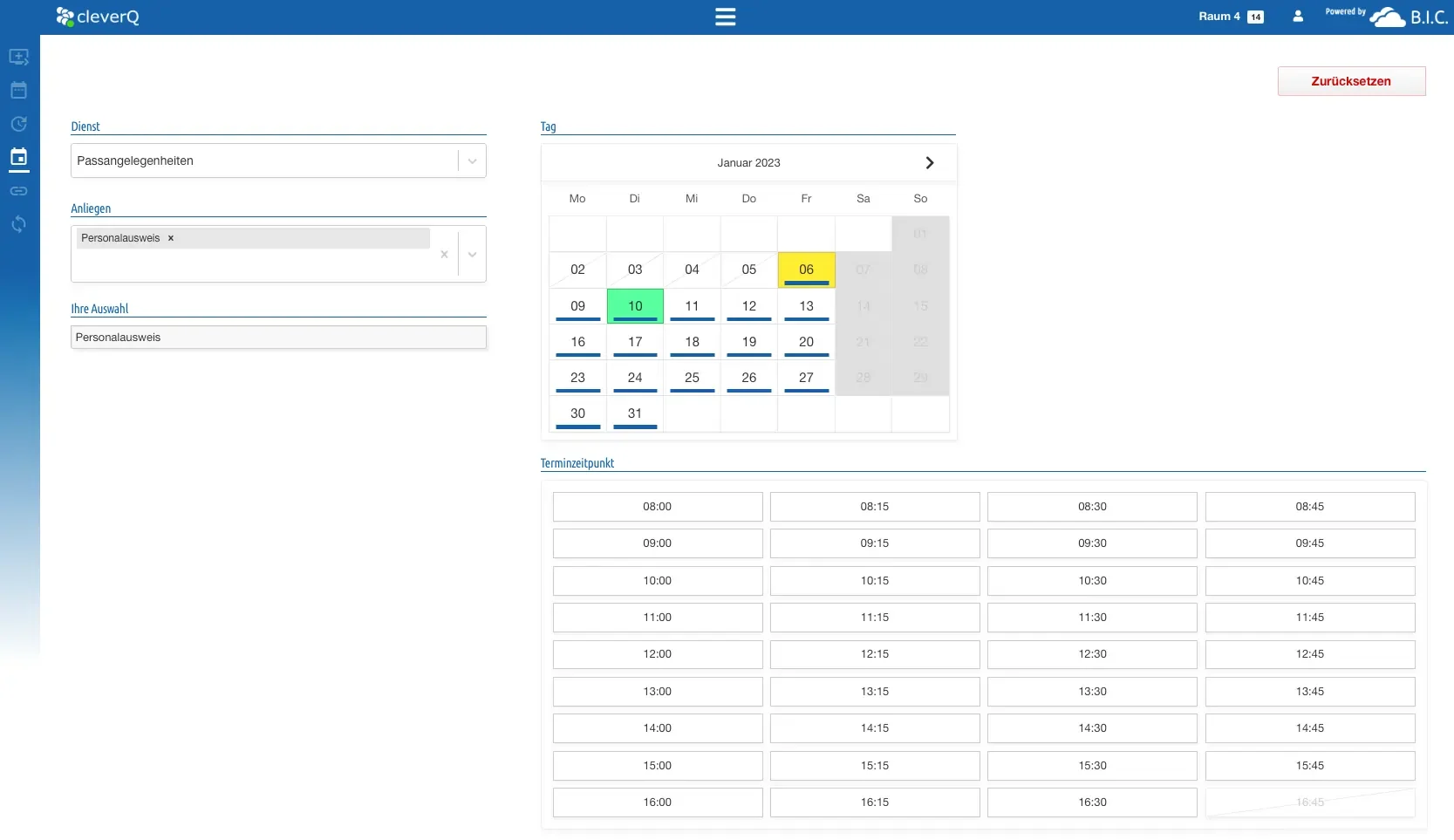
We will set up your personal web appointment page for you. Your customers/citizens can easily book an online appointment here. You can enter your available appointments in the cleverQ administration environment with just a few clicks.
Here you also have the option of providing additional information and, for example, informing users of important documents that must be brought to the appointment.
2. appointment booking via the free cleverQ app
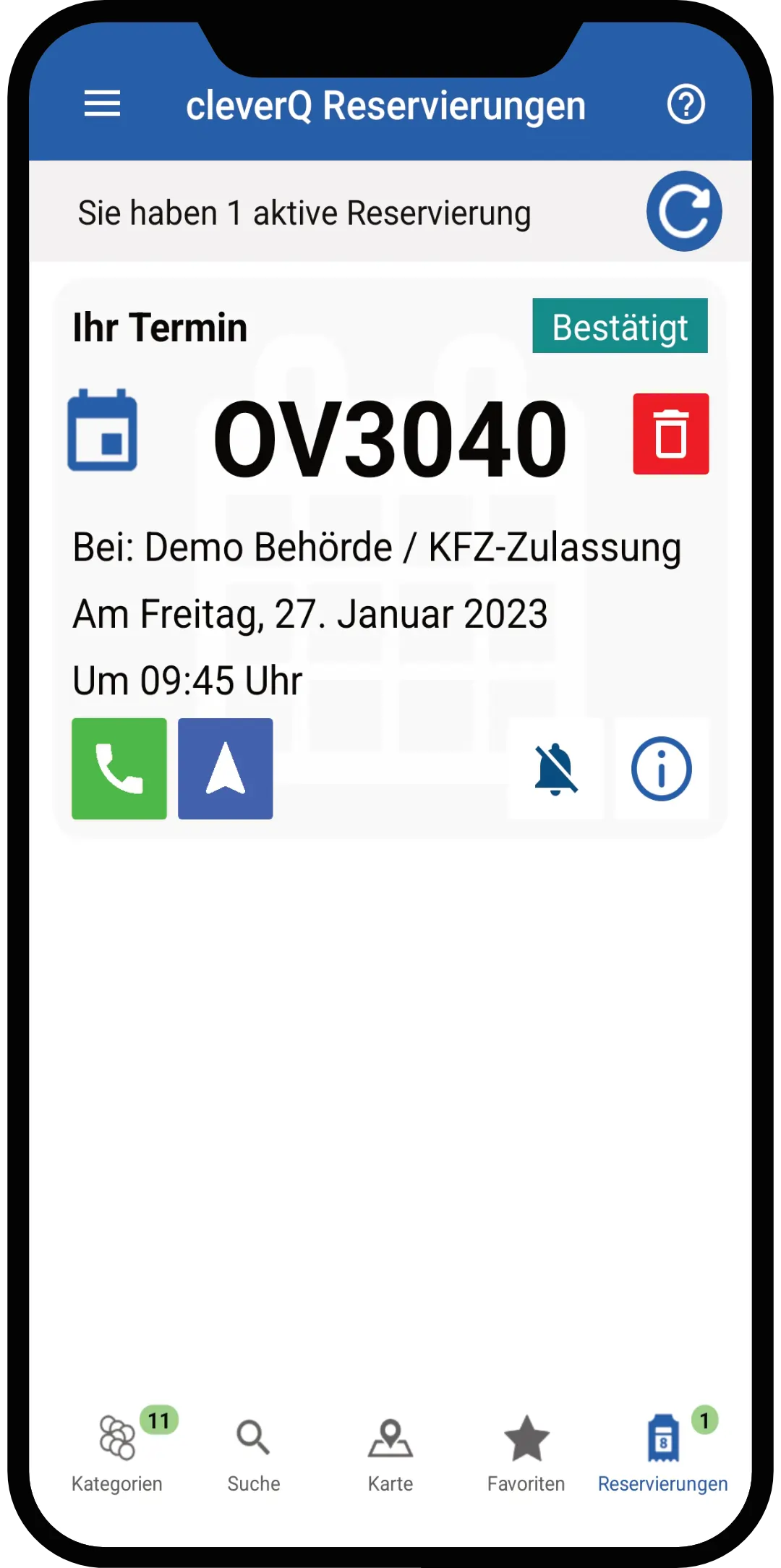
The cleverQ online appointment booking system not only provides a web appointment page, but also gives you the option of making online appointments in the free cleverQ app. With an online appointment in the app, your customers/citizens do not need to bring printouts to the appointment and are automatically called via the app.
3. conventional appointment booking via telephone call
If your customers/citizens do not want to or cannot book an appointment online, your staff still have the option of making appointments by telephone. Once the appointment has been entered, it is automatically entered into the system and managed centrally via the cQ platform.
4. appointment confirmation
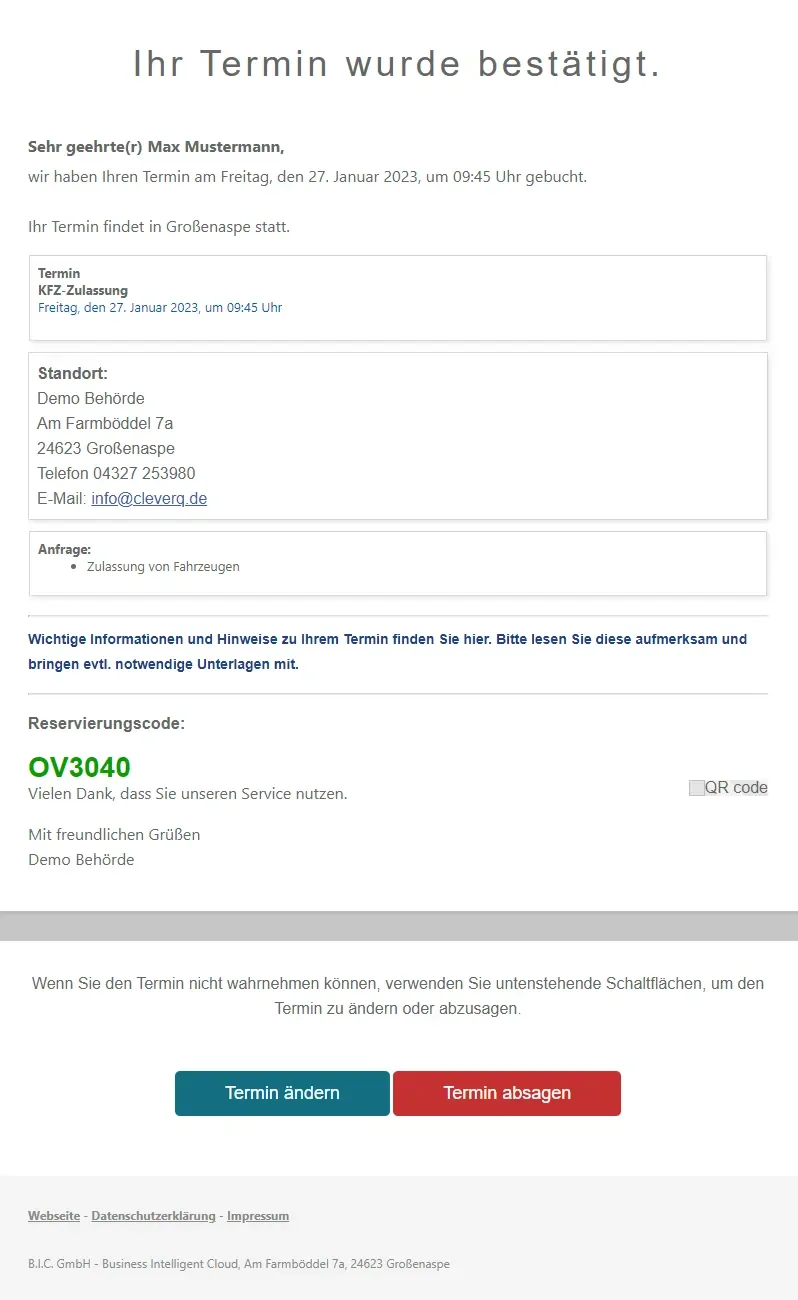
The appointment will be confirmed by email. It contains the reservation code (also as a QR code).
When booking an appointment by telephone, the reservation code can be given over the phone.
When booking an appointment via the app, all important information and the reservation code are saved natively in the app.
How to manage your customers/citizens on site with cleverQ
Verify dates
On site, the customer/citizen with an appointment has various options to verify themselves in order to join the (digital) queue after confirmation.
1st service terminal in the entrance area
Customers enter a reservation code manually, have a QR code scanned or verify themselves with their telephone number. They are then automatically added to the digital queue.
2. employees at the reception desk
Customers/citizens state their reservation code or show the QR code sent along. Your employees authorize the appointment and place customers/citizens in the (digital) queue.
As soon as an appointment has been authorized, it is converted into a ticket. The ticket appears on the monitors in the waiting area, on the app or on the pagers.
3. queue & call
In the (digital) queue, appointments are always queued before walk-in customers. Customers/citizens do not have to wait in the waiting area for your call. With the cleverQ app or with pagers, you can wait for your appointment in the car or in a café, for example, and move around freely.
4. park, forward & close tickets
If a customer/citizen has forgotten a document in the car, for example, a ticket can be parked until the document is handed in.
At the end of the appointment or if a customer/citizen does not show up, the ticket can be closed with one click.
No hidden costs,
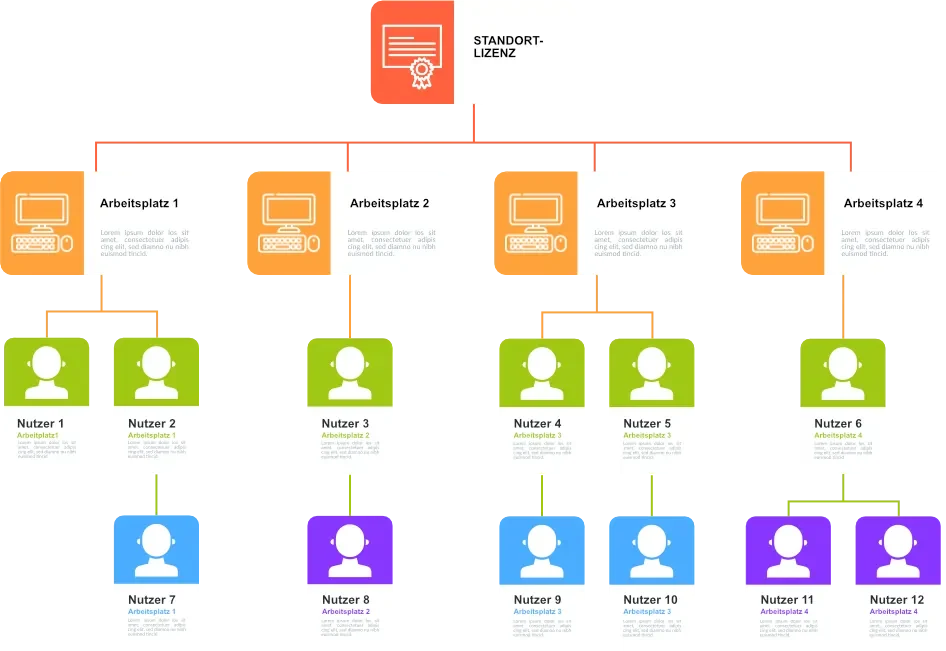
only one license for all calendars & users
The big advantage of cleverQ is our fair and cost-effective license policy. You only pay for one license and can use it to create and manage unlimited users and calendars per location or company.
10 reasons to choose cleverQ.
Your online appointment booking system.
Ready for your own
online appointment booking system?
Success Stories
What our customers say about cleverQ
Danilo Schulz
Head of Communications/ Fundraising/ Public Relations
“We were looking for a simple solution for our test centers in order to optimize the processes for users and customers and our employees in the best possible way. This means short waiting times, transparency for customers and good handling for staff. cleverQ has delivered a suitable overall concept for us.”

Markus Ewald
Head of Department | Customer Service & Sales Services
“At SWP, service comes first. We wanted to transfer this service concept to the waiting room and make the stay as pleasant as possible for our customers and then came Corona. Now more than ever, we needed a solution for our customers. In future, customers will even be able to book appointments for a personal video consultation via the cleverQ platform. cleverQ was the right overall solution for us.”
FAQ
Frequently asked questions about the
online appointment booking system
What are calendars?
Calendars in our system environment are services or requests (services) that you would like to offer your customers for booking. You pay for a site license and receive unlimited calendars, which you can make available (bookable) according to your individual needs.
Can I control and manage my own areas in the system?
There are admin rights with different admin levels. This means that areas such as appointment slots, appointment templates, processing times, opening hours, etc. can be created.
What is the difference between the cleverQ appointment system and the cleverQ waiting time and appointment system?
The cleverQ appointment system offers the option of making appointments available online via a homepage, which can then be booked by the customer/citizen. The waiting time and appointment system has the additional option of controlling the customer/citizen on site with so-called service tickets (digital waiting tokens). These waiting tickets can be obtained by anyone (including walk-in customers) either via the cleverQ app or on site via service terminals. The queue controls walk-in and appointment customers automatically and in real time with the cleverQ waiting time and appointment system.
Is the cleverQ app free of charge?
The cleverQ app was and remains free of charge. With this app, every customer/citizen can book an electronic ticket or an online appointment. The cleverQ app can be downloaded anywhere in the App or PlayStore, free of charge and without registration.
How can I use cleverQ and register for the system?
Write us a short message in our contact form and we will immediately send you access to the cleverQ system. You can get started immediately and, for example, define your services, provide appointment times, create users and much more.
Can my entire company/location use the cleverQ system with just a single license?
Yes, cleverQ licenses are not issued per user or workstation, but per company/location. The licenses are tied to address and zip code. If your company has several locations, e.g. in different cities, you need one license per city and location.
Can I keep the traditional methods of booking appointments (telephone, email, on site)?
Yes, you can manually enter and manage any appointment that you do not receive via your own web appointment page in the cleverQ system. Your online appointments synchronize in real time as soon as you have created an appointment manually. The same applies if you or customers/citizens cancel appointments.